My Tech Setup
This is a living document for my setups on my devices. my aero 14 gaming pc Mac I use a Mac for Unix compatibility + ease of use with various apps (e.g. Docker) and because its a reliable, powerful machine although it doesn’t have a…
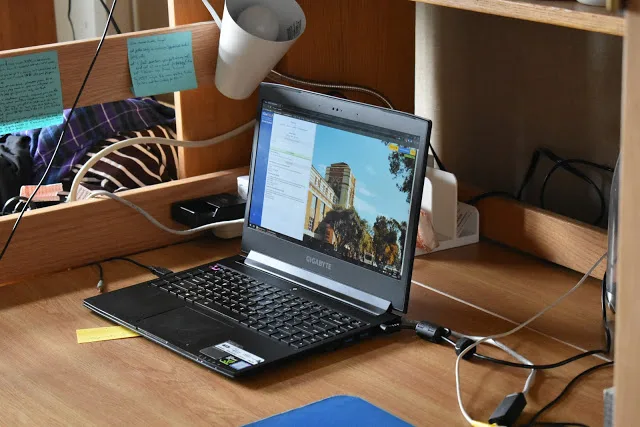
Photo by Hakan Alpay on WordPress archive · Copyright Hakan Alpay
This is a living document for my setups on my devices.
Mac
I use a Mac for Unix compatibility + ease of use with various apps (e.g. Docker) and because its a reliable, powerful machine although it doesn’t have a graphics card :(.
Ease Of Use Extensions
OpenInTerminal
Jianing made this finder extension that puts a button in your finder window to open the current folder/file in your terminal of choice or editor of choice (or copy the path). It also adds to the right click menu. The non lite version blends nicely with MacOS Mojave dark theme. Perfect!
You could also just right-click on the folder in the path view at the bottom (View -> Show Path Bar), but this also allows you to open your editor in folders easier.
Shift It
Do you want to snap a window to top/bottom/left/right like you could in Windows? You can in Mac but it requires fullscreening one app, mission control, drag other app onto thumbnail at top, wait until they merge. And then you can only have 2 at a time and only in side by side view. And its hard to get out of this view.
ShiftIt workflow: snap to left: ctrl+option+cmd+left, snap to right: ctrl+option+cmd+right, etc for top and bottom.
Maximize: ctrl+option+cmd+m. This is really nice because it’s faster than the “zoom” workaround and less janky looking too.
perfecto 🙂
Terminal
Emulator
Iterm2. Duh.
In the above link are all the things you can do with it. There’s a lot. My favorite are the easy paning features.
Shell
zsh. MacOS Catalina made zsh default now. The version of bash we’ve all been using was the version from 2007 before GPLv3 that Apple doesn’t like. I switched to zsh and installed
Oh My Zsh
to get a bunch of plugins. Here are the plugins I’m using:
plugins=(git node npm bower brew osx extract z)
These ones are pretty useful, and there aren’t too much more that I would slow down my start up by too much.
Here’s my theme:
ZSH_THEME=”agnoster”
I love the chevrons and icons it has.
I use this font with it:
DejaVu Sans Mono (for Powerline) (you have to install these ones for agnoster to not have [?]s everywhere)
DejaVu Mono is very legible with its large x-height and large counter space. The letterforms are pleasing. 🙂
Finally, my color scheme:
Dark Pastel.
All I need in a color scheme is a black background, white text, and pleasant shade of yellow, my favorite color. I like high contrast because it allows me to use my terminal on low brightness if I so choose.
Originally published on WordPress. View the source version ↗
Comments